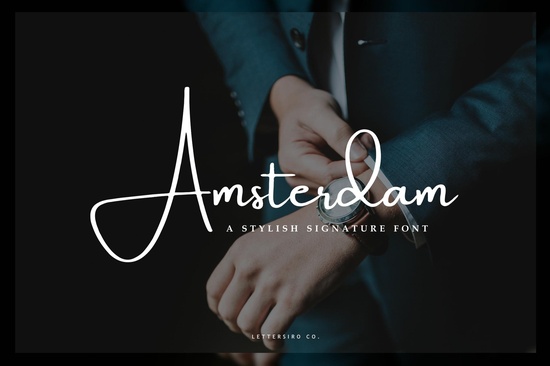
The Amsterdam Font is a stylish signature typeface designed with modern photography in mind. If you've been searching for a clean, elegant script that doubles as a photo watermark and a brand signature, this one checks both boxes. It flows with a natural handwritten feel while staying polished enough for professional use and that balance is exactly what makes it stand out.
What Can You Use the Amsterdam Font For?
One of the best things about this font is its versatility. It's not just a one-trick typeface. Here are some popular ways designers and small business owners put it to work:
- Photo watermarks Its signature-style lettering sits beautifully over images without distracting from the subject.
- Business logos and brand marks The flowing script gives brands a personal, boutique feel.
- Social media graphics Quotes, headers, and promotional posts look more polished with a script like this.
- Wedding and event stationery Invitations, thank-you cards, and menus benefit from its elegant curves.
- Print-on-demand products Mugs, tote bags, and t-shirts pair well with signature-style fonts.
Whether you're a photographer protecting your work or a crafter building a product line, the Amsterdam Font adapts to the job.
Is Amsterdam a Good Font for Watermarks?
Short answer: yes. Watermarks need to be readable but not overpowering. The Amsterdam Font strikes that middle ground well. Its connected letterforms create a continuous, flowing look that blends into photos without hiding them. You can adjust the opacity and size to get just the right level of visibility.
Unlike blocky or overly decorative fonts, a signature-style typeface like this one feels natural layered over portraits, product shots, or landscape images. If you've been using a basic sans-serif for your watermarks, switching to something like Amsterdam can make a noticeable difference in how professional your photos appear.
How Does It Compare to Other Script Fonts?
There's no shortage of script fonts out there, so it helps to know how Amsterdam stacks up. It sits in that sweet spot between casual and formal not as relaxed as something like the Sunshine Lemons font, which leans playful and fun, but not as structured as a serif-based option.
For comparison, the Norelia Daily font offers a softer, more everyday handwriting style that works well for journaling and casual designs. If you want something with a bit more personality, the Rainbow Candy font brings a whimsical vibe that suits kids' products and party invitations. And for projects that need both a script and a clean companion typeface, the Arkina Duo font pairs two styles in one package.
That said, Amsterdam holds its own especially well for branding and photography work. If you also love the charm of typewriter-style fonts, the Little Typewriter font is a fun option for vintage-themed projects, but it serves a completely different purpose than a signature script.
What File Formats and License Options Are Available?
The Amsterdam Font is available through Creative Fabrica, which means you get access to standard font files compatible with most design software including Adobe Photoshop, Illustrator, Canva, Procreate, and Cricut Design Space. Always double-check the license details on the product page to make sure the usage fits your project, especially if you plan to sell physical or digital products with the font embedded.
Creative Fabrica typically offers both personal and commercial licensing, which is helpful for print-on-demand sellers and small business owners who need that flexibility.
Who Will Get the Most Out of This Font?
This font is a solid pick for:
- Photographers who want a branded watermark that looks refined
- Small business owners building a logo or brand identity
- Print-on-demand sellers adding script-based designs to their catalog
- Crafters and hobbyists working on cards, signs, or home décor
- Social media managers creating consistent branded content
If any of those describe you, the Amsterdam Font is worth a closer look.
Quick Checklist Before You Buy
- Test it with your designs Preview the font with your actual projects before committing.
- Check the license Make sure it covers your intended use, especially for commercial products.
- Pair it wisely Use a clean sans-serif alongside Amsterdam for body text to keep things readable.
- Adjust spacing Signature fonts sometimes need kerning tweaks depending on the software you use.
- Save a PNG version For watermarks, exporting your signature text as a transparent PNG makes it easy to overlay on any image.
Tip: Create a small watermark template once, save it, and reuse it across all your photos. It saves time and keeps your branding consistent.
Try It Free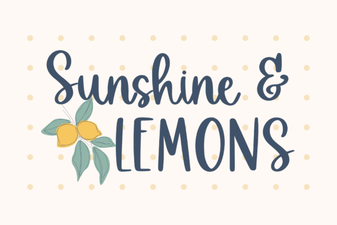 Brighten Designs with the Sunshine & Lemons Font
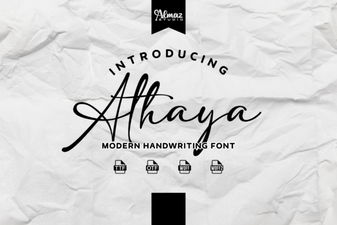 Elevate Your Design Projects with Athaya Font
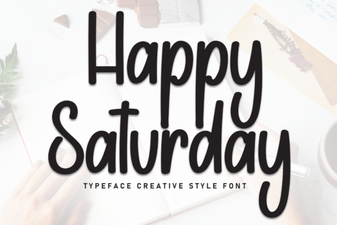 Happy Saturday Font: Fun Weekend Typeface Ideas
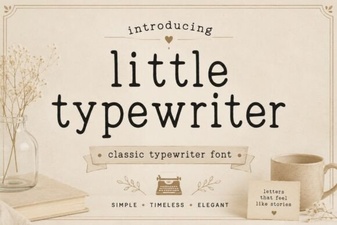 Little Typewriter Font - Free Script Font Download
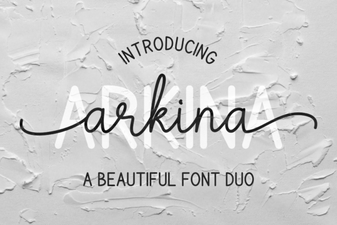 Arkina Duo: Font Pairing for Visual Storytelling
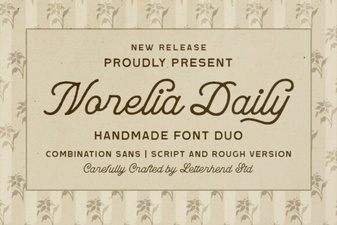 Norelia Daily Font – Elegant Everyday Typography for Designers