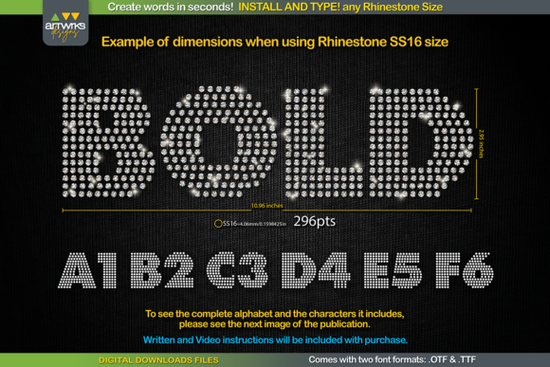
If you've ever wanted to make rhinestone designs without spending hours manually placing each stone, the RS04 Modern DIY RHINESTONE TTF Template Font might be exactly what you need. This typeable rhinestone font lets you type any word and instantly get a template filled with perfectly arranged rhinestone circles. You install it like a regular font, type your text, and you're ready to cut.
How Does a Rhinestone TTF Font Actually Work?
A rhinestone TTF font works differently from a regular decorative font. Instead of standard letter shapes, each character is made up of small circles that represent rhinestone placement. When you type a word, the letters fill in with these circles automatically. This means you don't have to manually arrange stones or use complicated design software tricks.
You simply install the font on your computer or device, open your cutting software like Cricut Design Space or Silhouette Studio, and type your text. Each letter comes pre-arranged with the correct pattern for rhinestones or heat transfer vinyl. It saves a significant amount of time compared to building rhinestone templates from scratch.
What Rhinestone Sizes Can I Use With This Font?
One of the best things about the RS04 rhinestone template font is that it works with multiple rhinestone sizes. You just need to adjust the font point size to match the stones you're using. Here's a quick reference:
- SS6 rhinestones: Set font size to 189 pt
- SS10 rhinestones: Set font size to 241 pt
- SS16 rhinestones: Set font size to 295 pt
- SS20 rhinestones: Set font size to 388 pt
This flexibility means you can create everything from small, detailed text on sleeves to bold, eye-catching phrases across the chest of a T-shirt.
Which Software and Devices Does It Support?
This font comes in both .TTF and .OTF formats, so it works across a wide range of devices and programs. You can use it on:
- Windows computers
- Mac
- iPad and iPhone
It's compatible with popular design and cutting software including Cricut Design Space, Silhouette Studio, Inkscape, and Illustrator. If you already use any of these tools for your crafting or print-on-demand work, adding this font to your setup is straightforward.
Who Is This Font Best For?
This type of font is ideal for a range of creative people. If you run a small business making custom rhinestone T-shirts, this tool can speed up your production considerably. Print-on-demand sellers who offer personalized bling designs will find it useful for quickly generating text-based templates. Hobbyists and crafters who enjoy making gifts or party decor with rhinestones will also appreciate how simple it is to use.
Compared to other decorative fonts like Onelia or Mochacino, which are great for standard print and digital designs, the RS04 font is specifically built for physical crafting with rhinestones and heat transfer vinyl. That makes it a specialized tool rather than a general-purpose font.
Tips for Getting Clean, Accurate Results
Here are a few practical tips to help you get the most out of this rhinestone template font:
- Close your design program before installing the font. This ensures the software picks up the new font correctly when you reopen it.
- Always adjust your font size to match your rhinestone size. Using the wrong point size will result in holes that are too big or too small for your stones.
- Check the letter dimensions shown in the product listing images before you start. This helps you plan how much space your text will need on your project.
- Test on a small word first before committing to a full design. It's easier to spot issues on a short word than after you've already cut a template for a long phrase.
If you're used to working with display fonts like Brooklyn or playful styles like Fluffernutter, switching to a rhinestone template font might feel different at first. But once you understand how the point sizes correspond to stone sizes, it becomes second nature.
Where Can I Get This Rhinestone Font?
You can download the RS04 Modern DIY Rhinestone TTF Template Font directly from Creative Fabrica. It's a digital download, so you'll have access to the files immediately after purchase. No waiting for shipping just download, install, and start creating.
Quick-Start Checklist
- Download the font files (.TTF and .OTF)
- Unzip the downloaded folder
- Right-click the .TTF file and select "Install" or "Install for all users"
- Open your cutting or design software
- Type your word and select the rhinestone font
- Set the correct font size for your rhinestone size (refer to the SS sizes above)
- Send your design to your cutter and start crafting
 Brooklyn Font: a Modern Sans-Serif for Clean Design
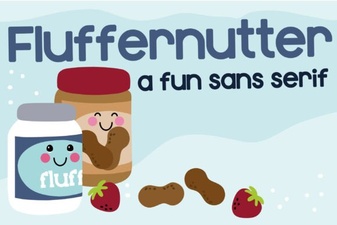 Fluffernutter Font: a Playful Typeface for Creative Designs
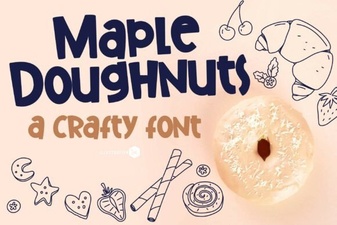 Maple Doughnuts Family Sans Serif Font for Creative Design Projects
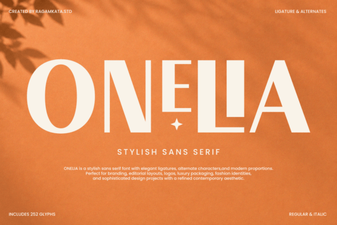 Onelia Font: a Modern Typeface for Creative Projects
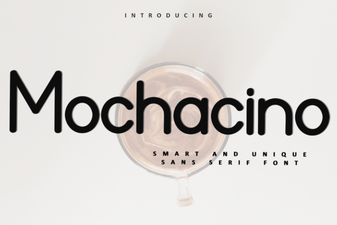 Mochacino Font: a Stylish Creative Typeface for Modern Designs
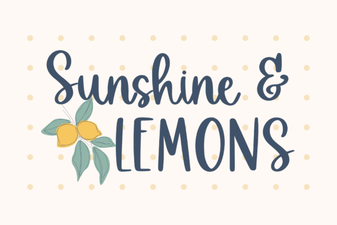 Brighten Designs with the Sunshine & Lemons Font