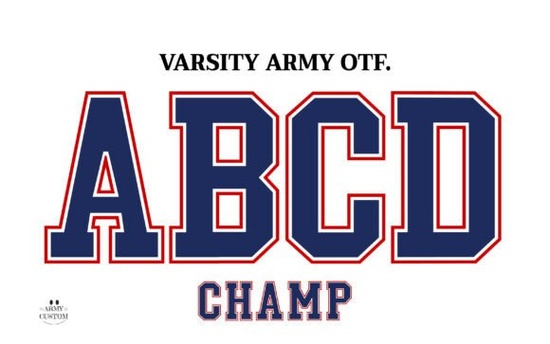
If you're designing for school teams, sports clubs, or college-themed merchandise, the Varsity Army Font delivers exactly the kind of bold, athletic lettering you'd expect to see on a university scoreboard or a vintage letterman jacket. It's built around that classic collegiate style blocky, strong, and full of energy which makes it a solid pick for anyone creating designs tied to school spirit, game-day events, or sports branding.
What Can You Use This Font For?
This typeface works well across a range of creative projects. Here are a few common uses that designers and small business owners love it for:
- Sports team logos and apparel graphics for local leagues or school teams
- Print-on-demand products like t-shirts, hoodies, mugs, and tote bags
- Game-day posters, banners, and social media graphics
- Back-to-school designs for stationery, planners, and locker decorations
- College event promotions homecoming, pep rallies, graduation week
- YouTube thumbnails or channel art with a sports or fitness theme
The letterforms have that unmistakable university feel. Each character looks like it belongs on a scoreboard or a campus building, which gives your designs an authentic, nostalgic quality without any extra effort on your part.
What Programs Does It Work With?
This is important to know before you buy. Because it's a color OTF font, it only works with programs that support colored font files. Specifically:
- Adobe Photoshop CC 2017 and newer versions
- Adobe Illustrator CC 2018 and newer versions
It is not compatible with Cricut Design Space, Silhouette Studio, or most basic text editors. If you use those tools, don't worry the download also includes bonus PNG files of each letter. You can import the PNGs directly into your cutting machine software or any design program that accepts image files. That gives you a lot more flexibility if you're not working in Adobe products.
How Does It Compare to Other College-Style Fonts?
There are plenty of varsity fonts floating around, but a few things make this one stand out:
- Color built into the font you don't need to manually add layers or shading. The color effects are part of the lettering itself.
- Clean, balanced letter shapes the proportions feel intentional and professional, not stretched or generic.
- Includes uppercase letters, numbers, and common symbols enough to put together real words and phrases without running into missing characters.
If you like working with colorful fonts and want to see more options in a similar style, you can browse more colorful font designs here.
Is It a Good Fit for Print-on-Demand Sellers?
Absolutely. If you sell on platforms like Redbubble, TeePublic, or Merch by Amazon, having a go-to sports font in your toolkit saves time whenever a new design idea comes up. The collegiate look sells consistently especially around back-to-school season, football season, and graduation time.
A few tips for POD sellers using this font:
- Export at high resolution since this is a color font, make sure your export settings preserve the color details when saving for print.
- Use the PNG files for mockups they're quick to drag and drop into your design templates.
- Pair it with a simple sans-serif for any secondary text. Something clean like a basic gothic or modern sans works well alongside the bold, decorative style.
- Test your designs on dark and light backgrounds to see where the colors pop best.
What Should You Check Before Downloading?
Before you grab this font, make sure you've got the right setup:
- Do you have Photoshop CC 2017+ or Illustrator CC 2018+?
- Are you okay using PNG files as a workaround if your software doesn't support color OTF?
- Have you confirmed the font's license covers your intended use commercial products, client work, or personal projects?
Creative Fabrica's licensing is generally very flexible for commercial use, but it's always smart to double-check the specific terms on the product page before listing a design for sale.
Quick Checklist Before You Start Designing
- ✅ Confirm your software supports color OTF fonts
- ✅ Download both the font file and the bonus PNG set
- ✅ Check the license for your specific use case
- ✅ Test a few letter combinations before committing to a final layout
- ✅ Try the font on both dark and light backgrounds to find the best contrast
Next step: Open up Photoshop or Illustrator, type out your team name or slogan, and see how it looks. If the style clicks with your project, you've found your font. If you want to explore other styles in the same category, check out similar options on Creative Fabrica to compare before you decide.
Get Started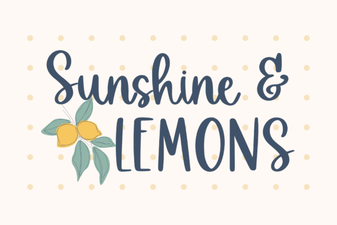 Brighten Designs with the Sunshine & Lemons Font
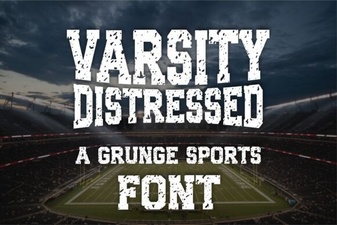 Varsity Distressed Font: Bold Vintage Typography Ideas
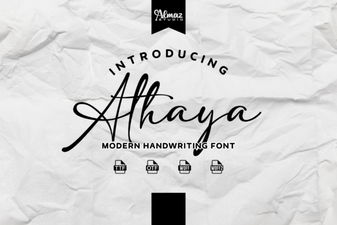 Elevate Your Design Projects with Athaya Font
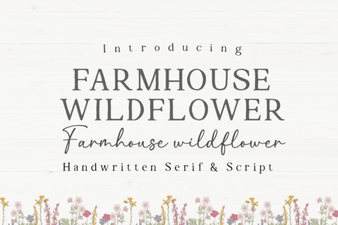 Farmhouse Wildflower Font for Rustic Floral Design Projects
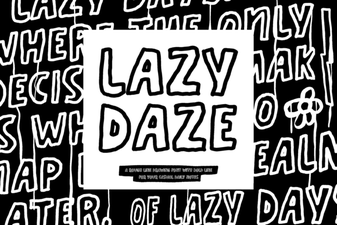 Lazy Daze Font: a Relaxed and Creative Typeface for Designs
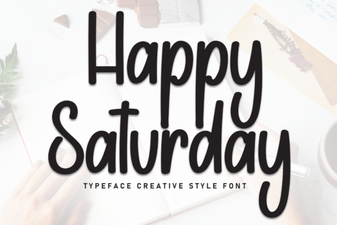 Happy Saturday Font: Fun Weekend Typeface Ideas