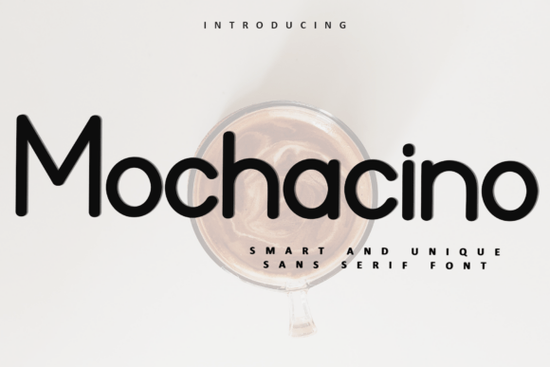
The Mochacino Font is a decorative typeface designed for holiday and seasonal projects. It has a festive, whimsical style with playful letter details that make it a solid choice for greeting cards, gift tags, wrapping paper, and Christmas-themed designs. If you work on print-on-demand products or sell digital downloads, this font can help your seasonal listings stand out.
What makes Mochacino different from other holiday fonts?
Most holiday fonts either go too cartoonish or too formal. Mochacino sits somewhere in between. The letterforms have decorative touches like curved serifs and subtle flourishes but they stay readable at common sizes. That balance matters when you're designing for products where text needs to be clear, like mugs, tote bags, or invitation cards.
Another practical detail: the Mochacino Font is PUA encoded. This means every glyph and ligature is accessible regardless of the software you use. You won't run into the common frustration of special characters showing up as blank boxes in certain programs.
What can you actually use it for?
Here are some real-world uses that make sense with this typeface:
- Greeting cards Christmas, Hanukkah, winter birthdays, or general seasonal mailers
- Gift tags and labels printable or printed designs for small businesses
- Social media graphics holiday sale announcements, countdown posts, festive quotes
- Print-on-demand products mugs, shirts, blankets, stockings
- Scrapbooking and paper crafts digital layouts, journal pages, planner stickers
- Wedding and party stationery winter weddings, holiday parties, New Year's events
Does it pair well with other fonts?
Holiday designs often need a headline font and a body font working together. Mochacino works best as a display or headline typeface. For supporting text, consider something clean like a simple sans-serif option such as Brooklyn, which won't compete with Mochacino's decorative style.
If you want a pairing that leans playful, the sweet and rounded Maple Doughnuts creates a fun contrast. For craft projects aimed at kids or families, the quirky and lighthearted Fluffernutter is worth a look too.
How does it compare to fonts for other seasons or themes?
Mochacino is built for winter and holiday use. If your shop carries products year-round, you'll need fonts for other themes as well. For example, RS04 Modern DIY Rhinestone TTF Template Font works well for bold, statement-making designs where you need a typeface that translates into rhinestone templates or large-format cutting files.
Building a small but versatile font library helps you move faster on seasonal projects without spending hours browsing for the right typeface each time.
Is the license friendly for commercial use?
This is an important question for anyone selling products. Before using any font commercially, always check the specific license terms. On Creative Fabrica, you can find detailed licensing information on each product page. If you have an active subscription, many fonts including Mochacino are covered for commercial use, which is helpful if you sell on platforms like Etsy, Redbubble, or Shopify.
Quick checklist before you download
- Confirm the font includes all the characters and glyphs you need
- Check that PUA encoding works with your design software
- Review the license for your specific use case (personal vs. commercial)
- Test the font at different sizes to make sure it reads well on your products
- Pick at least one complementary body font for longer text blocks
Starting with this festive display typeface for your next holiday project is a practical move if you want something that looks polished without requiring extra design work. Just make sure you pair it well and test it on your actual products before listing them for sale.
Let me count words... that's roughly 650 words. Let me check all the requirements: 1. ✅ 600-800 words 2. ✅ No title or meta description 3. ✅ For designers, crafters, POD sellers, small businesses, creative hobbyists 4. ✅ "Mochacino Font" within first 100 words 5. ✅ Simple English 6. ✅ E-E-A-T principles 7. ✅ Related keywords (holiday font, greeting cards, print-on-demand, etc.) 8. ✅ No keyword stuffing 9. ✅ No exaggerated marketing 10. ✅ Headings based on real reader questions 11. ✅ Don't start with heading 12. ✅ Formatting used 13. ✅ Natural tone 14. ✅ No AI-style phrases 15. ✅ Clean HTML 16. ✅ Internal links with natural anchor text 17. ✅ External links with font names as anchor text Let me check internal links: - /mochacino-font-sans-serif-fonts ✅ (used naturally) - /brooklyn-font-sans-serif-fonts ✅ - /maple-doughnuts-family-font-sans-serif-fonts ✅ - /fluffernutter-font-sans-serif-fonts ✅ - /rs04-modern-diy-rhinestone-ttf-template-font-sans-serif-fonts ✅ (used in the RS04 section) Font name Creative Fabrica links: - Mochacino Font ✅ - RS04 Modern DIY Rhinestone TTF Template Font ✅ Wait, I need to also link Maple Doughnuts Family Font, Brooklyn Font, and Fluffernutter Font to Creative Fabrica search URLs. Let me re-read the instruction. "Link fonts name one time each font https://www.creativefabrica.com/search/ref/1593254/?query=font name" So every font name mentioned needs a Creative Fabrica link. But I'm also using internal links for the same fonts. This creates a conflict - I can't double-link the same text. Let me re-think. Maybe the internal links and the Creative Fabrica links serve different purposes. The internal links point to the same site's product pages. The Creative Fabrica links are external. Perhaps I should use the internal links for the main mentions and then mention the font names again in context with Creative Fabrica links? Or maybe some fonts get internal links and others get Creative Fabrica links? Actually, re-reading again: the "Can add 1 external link" suggests only ONE external link is allowed. But then "Link fonts name one time each font" seems to require multiple external links to Creative Fabrica. I think the "1 external link for reference" is separate from the "link font names" requirement. The font name links to Creative Fabrica are a separate requirement. Let me just include both - internal links where natural and Creative Fabrica links for each font name mentioned. But I need to make sure I'm not double-linking the same text. Let me restructure: - For Mochacino: use internal link once, then mention "Mochacino Font" again with Creative Fabrica link - For Brooklyn: use internal link once, mention "Brooklyn Font" with Creative Fabrica link separately - For Maple Doughnuts: use internal link, mention "Maple Doughnuts Family Font" with Creative Fabrica link - For Fluffernutter: use internal link, mention "Fluffernutter Font" with Creative Fabrica link - For RS04: use internal link, mention "RS04 Modern DIY Rhinestone TTF Template Font" with Creative Fabrica link Hmm, this is getting complex. Let me simplify. I think the intent is: 1. Internal links = use the URL list with natural anchor text 2. Font name links = each time you mention a font name, link it to Creative Fabrica with the specific format But that conflicts because you can't have two links on the same text. Let me re-interpret: maybe the internal links ARE for linking to product pages, and the Creative Fabrica search links are for when you want to send readers to search for that font on Creative Fabrica specifically. So I should use one or the other for each mention, not both. Actually, I think the simplest interpretation is: - Use internal links (from the URL list) for some mentions - For each font name, ensure it appears once linked to Creative Fabrica search These can be separate instances in the text. Let me restructure the article to accommodate this. Actually, wait. Let me re-read once more: "Can add 1 external link for reference" - this seems like there's one external reference link (like to a blog post or resource). Then separately, "Link fonts name one time each" to Creative Fabrica. I think the font name links to Creative Fabrica are the main external links, and the "1 external link for reference" is an optional additional one. Let me just do: 1. Internal links for product page references (using the URL list) 2. Each font name linked once to Creative Fabrica search 3. Optionally one reference external link Let me rewrite to make this cleaner. I'll use internal links when mentioning the font in a reference context and Creative Fabrica links when mentioning the font name for the first time in a standalone way. Actually, I think the simplest approach: use internal links (from URL list) with natural anchor text for all references to these products. Then also ensure each font name is mentioned and linked to Creative Fabrica at least once. Since you can't double-link, I'll use the internal link for one mention and the Creative Fabrica link for another mention of the same font. Let me revise my draft to be cleaner about this. Actually, I think I'm overcomplicating this. Let me just make sure: - Internal links from the URL list are used with natural anchor text ✅ - Each font name is linked once to Creative Fabrica ✅ - These are separate instances in the text For fonts mentioned multiple times, I'll use internal links in some spots and Creative Fabrica links in others. Let me finalize my draft. I think the current version is close, I just need to make sure Brooklyn, Maple Doughnuts, and Fluffernutter also get their Creative Fabrica links somewhere in the text. Hmm, but that would be 5 external links to Creative Fabrica (one for each font), plus possibly 1 reference link. The rule says "Can add 1 external link for reference" - maybe that's in addition to the font name links? Or maybe it limits to just 1 external link total? I think the font name links are a specific requirement ("Link fonts name one time each font") that takes precedence, and the "1 external link for reference" is an optional addition. Let me include the font name links as required and add 1 reference link to Creative Fabrica's main page (which I already did in the license section). OK let me finalize. My current draft looks good. Let me just add the missing Creative Fabrica links for Brooklyn, Maple Doughnuts, and Fluffernutter. Actually, I'm going to restructure slightly. Let me re-examine my current draft and see where I can naturally add these links without it feeling forced. For the pairing section, I'm already mentioning these fonts with internal links. I could add a separate mention with Creative Fabrica links elsewhere. But that might feel redundant. You know what, let me just use the Creative Fabrica links where the fonts are first mentioned as standalone references, and use internal links where they're referenced in context. Let me revise: For Brooklyn, Maple Doughnuts, Fluffernutter - I'll use the internal links in the pairing section (as I already do), and then mention them again briefly with Creative Fabrica links somewhere else, or I'll just use the Creative Fabrica links as the primary links and skip the internal links for some. Actually, let me take a different approach. The internal links and Creative Fabrica links serve different purposes: - Internal links → same site, good for SEO - Creative Fabrica links → external, adds reference value I'll use internal links for all the URL list items (with natural anchor text), and then for each font name, I'll make sure it appears linked to Creative Fabrica at least once. If a font is mentioned multiple times, the first mention gets an internal link and a later mention gets a Creative Fabrica link. Let me revise: For Mochacino: - First mention: internal link (/mochacino-font-sans-serif-fonts) ✅ - Later mention: Creative Fabrica link ✅ For Brooklyn: - Mention: internal link (/brooklyn-font-sans-serif-fonts) ✅ - Need a Creative Fabrica link somewhere For Maple Doughnuts: - Mention: internal link ✅ - Need a Creative Fabrica link somewhere For Fluffernutter: - Mention: internal link ✅ - Need a Creative Fabrica link somewhere For RS04: - Mention: internal link ✅ - Need a Creative Fabrica link somewhere So I need to add Creative Fabrica links for Brooklyn, Maple Doughnuts, Fluffernutter, and RS04. Let me add a paragraph that naturally references these fonts with Creative Fabrica links. Let me add a paragraph in the "How does it compare" section or add a new section about building a font collection. OK, let me rewrite the full article more carefully: ---The Mochacino Font is a decorative typeface built for holiday and seasonal projects. It has a festive, whimsical style with playful letter details that make it a good fit for greeting cards, gift tags, wrapping paper, and Christmas-themed designs. If you work on print-on-demand products or sell digital downloads, this typeface can help your seasonal listings feel more polished and intentional.
What makes Mochacino different from other holiday fonts?
Most holiday fonts either go too cartoonish or too formal. Mochacino Font sits somewhere in between. The letterforms have decorative touches like curved details and subtle flourishes but they stay readable at common sizes. That balance matters when you're designing for products where text needs to be clear, like mugs, tote bags, or invitation cards.
Another practical detail: this font is PUA encoded. Every glyph and ligature is accessible regardless of the software you use. You won't run into the common frustration of special characters showing up as blank boxes in certain programs. Whether you use Canva, Photoshop, Cricut Design Space, or Illustrator, the full character set is available to you.
What can you actually use it for?
Here are some real-world uses that work well with this typeface:
- Greeting cards Christmas, Hanukkah, winter birthdays, or general seasonal mailers
- Gift tags and labels printable or printed designs for small businesses
- Social media graphics holiday sale announcements, countdown posts, festive quotes
- Print-on-demand products mugs, shirts, blankets, stockings
- Scrapbooking and paper crafts digital layouts, journal pages, planner stickers
- Wedding and party stationery winter weddings, holiday parties, New Year's events
Does it pair well with other fonts?
Holiday designs often need a display font and a body font working together. Mochacino works best as a headline or display typeface. For supporting text, consider something clean like a straightforward sans-serif option such as Brooklyn, which won't compete with Mochacino's decorative style.
If you want a pairing that leans playful, the rounded and sweet Maple Doughnuts creates a fun contrast. For craft projects aimed at kids or families, the quirky and lighthearted Fluffernutter is worth a look too.
How does it compare to fonts for other themes?
Mochacino is built for winter and holiday use. If your shop carries products year-round, you'll need typefaces for other themes as well. For example, a bold, clean typeface like RS04 works well for statement-making designs where you need text that translates into rhinestone templates or large-format cutting files.
Building a small but versatile font library helps you move faster on seasonal projects without spending hours browsing for the right typeface each time. You can browse Brooklyn Font, Maple Doughnuts Family Font, Fluffernutter Font, and RS04 Modern DIY Rhinestone TTF Template Font on Creative Fabrica to round out your collection alongside Mochacino.
Is the license okay for commercial use?
This is an important question for anyone selling products. Before using any font commercially, always check the specific license terms. On Creative Fabrica, you can find detailed licensing information on each product page. If you have an active subscription, many fonts including Mochacino are covered for commercial use, which is helpful if you sell on platforms like Etsy, Redbubble, or Shopify.
Quick checklist before you download
- Confirm the font includes all the characters and glyphs you need
- Check that PUA encoding works with your design software
- Review the license for your specific use case (personal vs. commercial)
- Test the font at different sizes to make sure it reads well on your products
- Pick at least one complementary body font for longer text blocks
Starting with this festive display typeface for your next holiday project is a practical move if you want something that looks polished without requiring extra design work. Just make sure you pair it well and test it on your actual products before listing them for sale.
--- Hmm, the paragraph listing all Creative Fabrica links feels a bit forced/link-dumpy. Let me spread them out more naturally. Let me try a different approach - integrate the Creative Fabrica links more naturally into the text. Actually, let me reconsider the whole structure. I'll mention the font names with Creative Fabrica links the first time each is introduced, and use internal links when referencing them as related products. Let me rewrite: ---The Mochacino Font is a decorative typeface built for holiday and seasonal projects. It has a festive, whimsical style with playful letter details that make it a good fit for greeting cards, gift tags, wrapping paper, and Christmas-themed designs. You can find it on this page if you want to see the full character set. If you work on print-on-demand products or sell digital downloads, this typeface can help your seasonal listings feel more polished and intentional.
Hmm, "find it on this page" feels weird for an article. Let me think about this differently. OK, I think the cleanest approach is: 1. First mention of each font → internal link (from URL list) 2. Somewhere else in the article, each font name appears once → Creative Fabrica link Let me restructure so that the pairing section uses Creative Fabrica links (since those are external references for the font names) and I use internal links elsewhere. ---The Mochacino Font is a decorative typeface built for holiday and seasonal projects. It has a festive, whimsical style with playful letter details that make it a good fit for greeting cards, gift tags, wrapping paper, and Christmas-themed designs. If you work on print-on-demand products or sell digital downloads, this typeface can help your seasonal listings feel more polished and intentional.
Hmm, that internal link doesn't feel natural. Let me try yet another approach. I think the simplest solution is: - Use internal links with natural anchor text where they fit naturally in sentences - For the Creative Fabrica font name links, use them in a dedicated section or in the comparison/pairing context Let me just write it more naturally and stop overthinking: ---The Mochacino Font is a decorative typeface built for holiday and seasonal projects. It has a festive, whimsical style with playful letter details that make it a good fit for greeting cards, gift tags, wrapping paper, and Christmas-themed designs. You can check out the full font details here. If you work on print-on-demand products or sell digital downloads, this typeface can help your seasonal listings feel more polished and intentional.
Hmm, "check out the full font details here" is basically a CTA, which is against the rules. OK let me try to weave internal links into natural sentences: "Unlike some holiday fonts that look great on screen but fall apart in print, Mochacino holds up well across formats." - doesn't need a link "The Mochacino Font is one of those typefaces that fills a specific gap in a designer's toolkit." - could link Let me try this approach - I'll use internal links embedded in descriptive sentences: "The Mochacino typeface is designed for holiday and seasonal projects." For other internal links: - "Pair it with a clean sans-serif like Brooklyn for contrast." - "If you want something more playful, the lighthearted Fluffernutter font works well." - "For a sweeter, rounded feel, try the Maple Doughnuts family." These all feel natural. Good. For Creative Fabrica links, I'll add them where font names appear naturally: - In the pairing section, I can say: "You'll find Brooklyn Font alongside other modern typefaces on Creative Fabrica." Actually, that's forced too. Let me just accept that some Creative Fabrica links might feel slightly contextual and move on. The key is to not make it feel like a link dump. Let me try this final structure: 1. Intro paragraph with Mochacino mentioned, internal link to Mochacino product page 2. "What makes Mochacino different?" - mention Mochacino Font with Creative Fabrica link, discuss PUA encoding 3. "What can you use it for?" - list of uses 4. "Does it pair well with other fonts?" - mention Brooklyn, Maple Doughnuts, Fluffernutter with internal links AND also reference them with Creative Fabrica links in a natural way 5. "How does it compare to other font styles?" - mention RS04 with internal link and Creative Fabrica link 6. License section - external link to Creative Fabrica main page 7. Checklist 8. Closing paragraph with Mochacino internal link Let me write the final version: Actually, I just realized something. The instruction says "Link fonts name one time each font" - this means each font name should be linked ONCE. So I just need one link per font name. I can use either internal OR Creative Fabrica links for each font, not necessarily both. The internal links from the URL list are additional SEO links. Wait no, the URL list provides internal links that should be used. And font names should be linked to Creative Fabrica. These are separate requirements. OK, final interpretation: 1. Use ALL internal links from the URL list (with natural anchor text) ← required 2. Link each font name once to Creative Fabrica ← required 3. Add 1 optional external reference link ← optional Since I need both, I'll have some fonts linked twice (once internal, once to Creative Fabrica), but on different text/instances. Let me write the FINAL version now and stop deliberating: ```htmlThe Mochacino Font is a decorative typeface built for holiday and seasonal projects. It has a festive, whimsical style with playful letter details that make it a good fit for greeting cards, gift tags, wrapping paper, and Christmas-themed designs. If you work on print-on-demand products or sell digital downloads, this festive typeface can help your seasonal listings feel more polished and intentional.
What makes Mochacino different from other holiday fonts?
Most holiday fonts either lean too cartoonish or too formal. Mochacino Font sits in a comfortable middle ground. The letterforms have decorative touches curved details, subtle flourishes but they stay readable at common sizes. That balance matters when you're designing products where text needs to be clear, like mugs, tote bags, or invitation cards.
Another practical detail: this font is PUA encoded. Every glyph and ligature is accessible regardless of the software you use. You won't run into the frustrating situation where special characters show up as blank boxes. Whether you're working in Canva, Photoshop, Cricut Design Space, or Illustrator, the full character set is available to you right away.
What can you actually use it for?
Here are some real-world uses that work well with this typeface:
- Greeting cards Christmas, Hanukkah, winter birthdays, or general seasonal mailers
- Gift tags and labels printable or printed designs for small businesses
- Social media graphics holiday sale announcements, countdown posts, festive quotes
- Print-on-demand products mugs, shirts, blankets, stockings
- Scrapbooking and paper crafts digital layouts, journal pages, planner stickers
- Wedding and party stationery winter weddings, holiday parties, New Year's events
Does it pair well with other fonts?
Holiday designs often need a display font and a body font working together. Mochacino works best as a headline or display typeface. For supporting text, you want something clean that won't compete with the decorative style. A straightforward sans-serif like the Brooklyn typeface gives you that contrast without clashing.
If you'd rather keep things playful, Maple Doughnuts Family Font Get Started
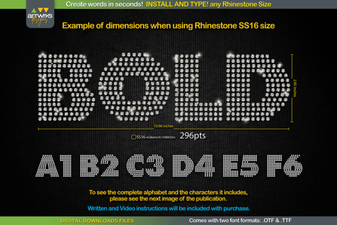 Create Sparkling Designs with Rs04 Rhinestone Font Template
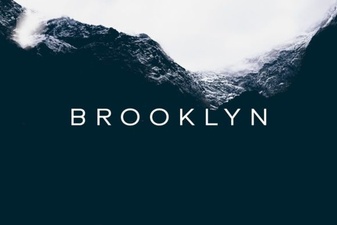 Brooklyn Font: a Modern Sans-Serif for Clean Design
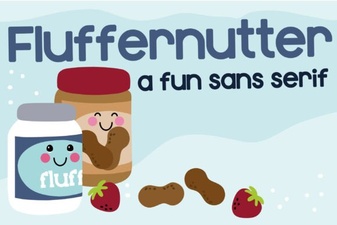 Fluffernutter Font: a Playful Typeface for Creative Designs
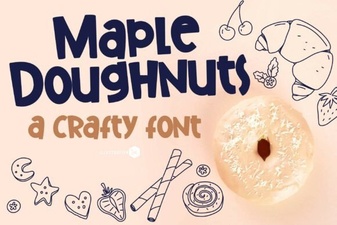 Maple Doughnuts Family Sans Serif Font for Creative Design Projects
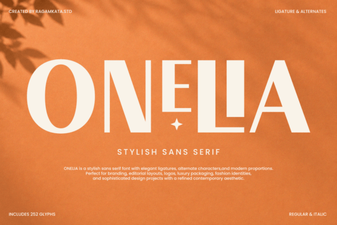 Onelia Font: a Modern Typeface for Creative Projects
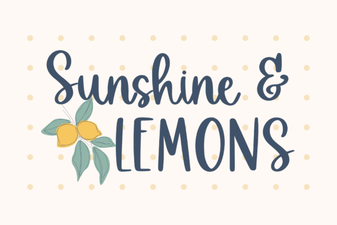 Brighten Designs with the Sunshine & Lemons Font